> For the complete documentation index, see [llms.txt](https://survey.fmpx.docs.frox-it.de/llms.txt). Markdown versions of documentation pages are available by appending `.md` to page URLs; this page is available as [Markdown](https://survey.fmpx.docs.frox-it.de/installationen-lizenzierungen-und-updates/kivid-feld-trimble-treiber-lizenzieren.md).
# KIVID Feld Trimble Treiber lizenzieren
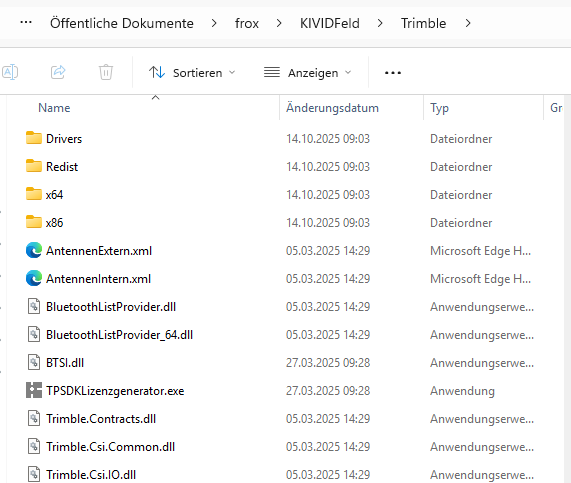
Starten Sie zunächst den PSDK Lizenzgenerator. Sie finden die Datei unter folgendem Pfad.
C:\Benutzer\Öffentlich\Öffentliche Dokumente\frox\KIVIDFeld\Trimble
Für die Lizenzierung gibt es zwei Möglichkeiten.
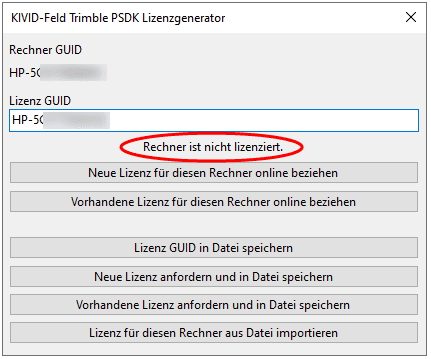
1. Automatische Lizenzierung bei bestehender Internetverbindung über die Option "Neue oder vorhandene Lizenz für diesen Rechner online beziehen".
2. Lizenz GUID speichern über die Option "Lizenz GUID in Datei speichern". Bitte senden Sie diese Datei an den Support. Dieser wird alles weitere veranlassen.
Wir empfehlen die automatische Lizenzierung.
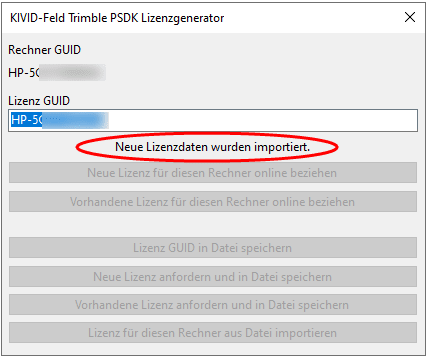
Bei der automatischen Lizenzierung wird im Hintergrund der Lizenz GUID generiert und an den Lizenzserver von Trimble gesendet. Dieser prüft die Angaben und schaltet Ihnen die Lizenz frei. Während des Zugriffs auf den Trimble-Server wird der Status *Lizenzdaten erzeugen...* angezeigt und wechselt anschließend in *Lizenzdaten herunterladen...*.
Nach erfolgreichem Herunterladen wird Ihnen folgendes Fenster angezeigt.
---
# Agent Instructions
This documentation is published with GitBook. GitBook is the documentation platform designed so that both humans and AI agents can read, navigate, and reason over technical content effectively. Learn more at gitbook.com.
## Querying This Documentation
If you need additional information that is not directly available in this page, you can query the documentation by asking a question.
Perform an HTTP GET request on the following URL with the `ask` and `goal` query parameters:
```
GET https://survey.fmpx.docs.frox-it.de/installationen-lizenzierungen-und-updates/kivid-feld-trimble-treiber-lizenzieren.md?ask=&goal=
```
`ask` is the immediate question: it should be specific, self-contained, and written in natural language.
`goal` is what the user is ultimately trying to achieve, the reason they need the answer. Sharing it helps GitBook give you a better, more relevant answer. A goal is most helpful when it describes the outcome the user wants rather than restating the question. For example, with `ask=how do I create an API token`, a goal like `automate deployments from our CI pipeline` lets GitBook tailor the answer to that use case.
The response will contain a direct answer to the question and relevant excerpts and sources from the documentation.
Use this mechanism when the answer is not explicitly present in the current page, you need clarification or additional context, or you want to retrieve related documentation sections.