> For the complete documentation index, see [llms.txt](https://survey.fmpx.docs.frox-it.de/llms.txt). Markdown versions of documentation pages are available by appending `.md` to page URLs; this page is available as [Markdown](https://survey.fmpx.docs.frox-it.de/messen-mit-gnss/messpunkte.md).
# Messpunkte
Das zentrale Objekt für die Berechnungsfunktionen in FX Survey ist der Messpunkt. Die Verknüpfung zum Berechnungskern erfolgt über die eindeutige Punktnummer.
Punkte, die über die Koordinateneingabe eingegeben werden, erscheinen nach der Speicherung als Messpunkt mit gespeicherter Punktnummer in der Grafik.
## Darstellung der Punkte
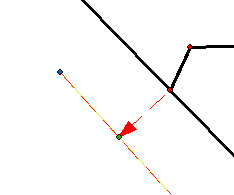
Messpunkte werden in der Grafik blau dargestellt. Berechnete Punkte hingegen sind grün. Eingelesene Punkte sind rot.
## Punktnummerierung
Für die Details der "fortlaufenden Punktnummerierung" und der üblichen Einstellungen schlagen Sie bitte im KIVID Feld Handbuch, das Sie im Menü Hilfe finden, nach.
### Punktnummer selbst vergeben
Die nächsten zu vergebenden Punktnummern können auch direkt in der Statuszeile durch Vorgabe einer Startpunktnummer vergeben werden, die dann automatisch hochgezählt wird.
In der Statuszeile unterhalb des Grafikfensters wird neben den Koordinaten und dem Lage- und Höhensystem auch die Punktnummer angezeigt, hier z.B. 29.
Bei Klick auf die Punktnummer öffnet sich folgendes Fenster:
In diesem Fenster kann die Punktnummer verändert werden. Der nächste gemessene Punkt erhält dann die angegebene Nummer. Anschließend wird automatisch ab dieser Nummer nach oben gezählt.
Sollte die eingegebene Punktnummer bereits vergeben sein, so wird die nächste freie Nummer verwendet.
### Punktnummern mit Buchstaben
Wird der Punktnummer ein Buchstabe vorangestellt (A1050), so wird auch hier hochgezählt. Die nächste Punktnummer lautet demnach A1051 und nicht B1050.
---
# Agent Instructions
This documentation is published with GitBook. GitBook is the documentation platform designed so that both humans and AI agents can read, navigate, and reason over technical content effectively. Learn more at gitbook.com.
## Querying This Documentation
If you need additional information that is not directly available in this page, you can query the documentation by asking a question.
Perform an HTTP GET request on the following URL with the `ask` and `goal` query parameters:
```
GET https://survey.fmpx.docs.frox-it.de/messen-mit-gnss/messpunkte.md?ask=&goal=
```
`ask` is the immediate question: it should be specific, self-contained, and written in natural language.
`goal` is what the user is ultimately trying to achieve, the reason they need the answer. Sharing it helps GitBook give you a better, more relevant answer. A goal is most helpful when it describes the outcome the user wants rather than restating the question. For example, with `ask=how do I create an API token`, a goal like `automate deployments from our CI pipeline` lets GitBook tailor the answer to that use case.
The response will contain a direct answer to the question and relevant excerpts and sources from the documentation.
Use this mechanism when the answer is not explicitly present in the current page, you need clarification or additional context, or you want to retrieve related documentation sections.